


We’ve all heard the adage that the more our senses are engaged, the better we learn. It’s reflected in the Chinese proverb, ”When I hear I forget, when I see I remember, when I do, I understand,” as well as Ben Franklin’s, “Tell me and I forget, teach me and I may remember, involve me and I learn.” Engagement is key and the senses are our conduit to engaging our students. But how do we use the senses when teaching online?
Online teaching is usually seen as reductive, a paired-down version of in-person teaching. The online platform itself, however, gives us opportunities to engage the senses, which are not available in the in-person classroom. Here are some tips for increasing engagement from my 10+ years experience teaching online, 20+ years teaching face-to-face, as well as observing others teach. In this installment, I’ll focus on our sense of sight.
When I see, I remember.’ This may seem obvious, but…
Use visuals via your background and screen sharing. Whether you are making an announcement, reviewing, or introducing a new concept, show something as you speak – a picture or words or both – to reinforce what students are hearing and to aid in retention.
1. Backgrounds
Your background is a powerful tool. Consider changing your background with your activity. Canva has many ready-made templates which you can edit and make your own, or you can always create your own from scratch. Use the colors mentioned below to set the tone. On your background, convey any instructions or information and as an aid to students’ memory, thereby avoiding having to repeat yourself in the classroom. Simply point to your background.

2. Color
Certain colors are known to influence learning – red emphasizes, yellow excites and blue calms. Keep this in mind when creating your virtual backgrounds or slides: Use color to highlight what is essential (red), render a mundane task more exciting (yellow), or make a challenging one less stressful (blue).
3. Ready Your Browser
Open your tabs before class and keep transitions from one screen to another smooth, so there is little visual ‘downtime’ as students wait for the teacher to find the right screen.
4. Show Your Work
Use a document camera. There is something visceral about seeing the teacher’s hand, writing something, or engaging in some activity, rather than watching things appear on a whiteboard. Seeing your hand in the act of writing, or maybe rolling dice, seems to elicit a stronger desire in the students to participate in the activity, and do what they are seeing on the screen. Try it! I speak from experience.
5. Student Teachers
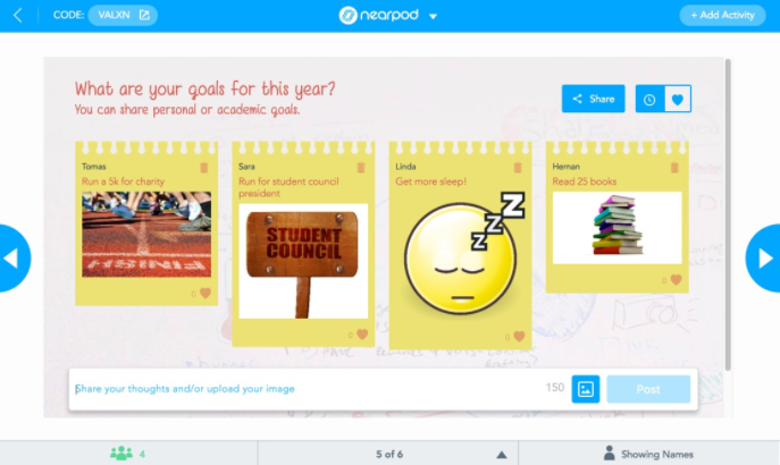
Allow students to help in visualization of the lesson by letting them annotate as you share any screen in Zoom. In interactive learning tools such as Nearpod, there are ‘Share-it’ and ‘Collaborate Boards’ where students can post their answers as pictures or memes that they either find online or make themselves. This engages students and helps them retain information.
6. Icons
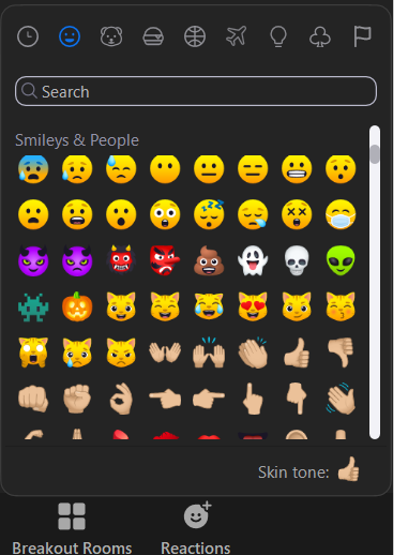
Encourage the use of icons for instant, fun, visual communication. They provide an easy way for students to express themselves without having to type or speak.
7. Filter
Finally, use the ‘enhance my appearance’ Zoom feature. We are teachers, not movie stars. The camera does not filter like our eyes naturally do. You have to see yourself on camera for the full duration of class, as do your students. To keep distractions to a minimum, use the feature for a more professional, polished look.
These are just a few suggestions to enhance the sense of sight while teaching online to boost our students’ academic achievement. What others have you used?
Read the second part of the senses series: Hearing