

Thriving with Time Zones and Class Schedules: Keeping Yourself Organized as a Virtual Educator
There is a lot to love about being a certified virtual teacher through Proximity Learning. The ability to do what you love and teach others while creating your own schedule is among one of the best aspects of this position. However, scheduling your day can pose some challenges that you can easily address with organization and creativity!
It is amazing that technology has connected us with the ability to work with students from all across the United States. One important piece to keep in mind is that you will likely have to manage different time zones. It may take a bit to get used to this, but I can assure you that with some tips & tricks, you can master your time and schedule in no time.
Flexibility in The Teaching Environment
The flexibility of working with Proximity is unmatched. There are opportunities for routine teaching positions as well as more varying substitute openings. Your day may never be the same which keeps things exciting and fresh. This is a great change after following the same schedule in brick and mortar schools for over a decade.
However, you will need to stay organized. Here are a few pro tips:
1) A helpful tip is to add world clocks to your cell phone home screen to quickly reference and make the necessary conversion to your time zone. This is a quick, easy, and free way to keep track of PST, CST, EST and more.
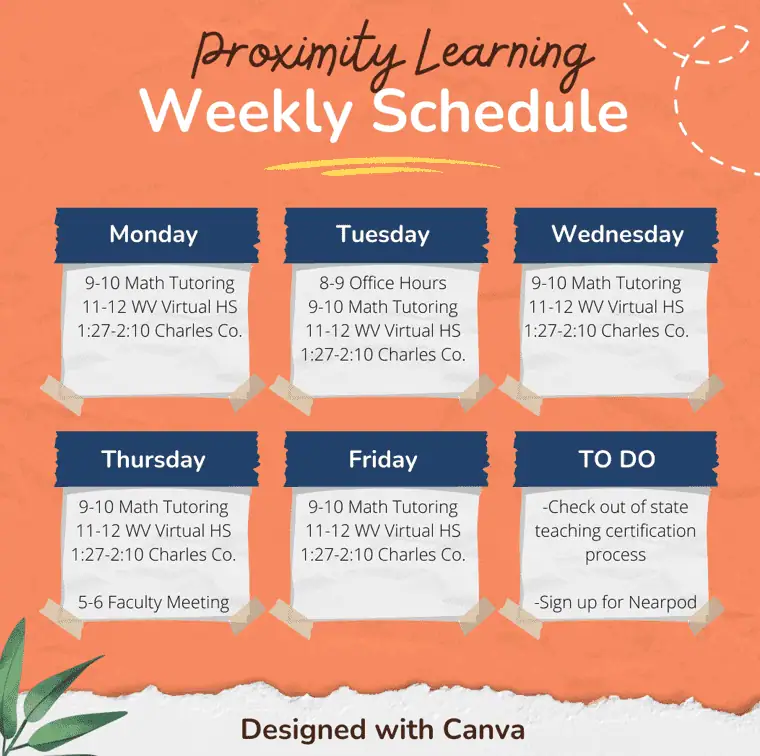
2) At the start of each week, take a moment and create a calendar for the week ahead. You can create this using a fun program like Canva and set it as your desktop background (and even your phone background!) This way you can also add events that happen once in a while like a faculty meeting, PD session, or other group gathering you want to attend.
3) At the end of each workday, review your calendar and set phone alarms for the next day in case you have a large break and will be away from your computer. Just remember to give yourself ample time to get organized before your next class!
4) If you have a busy schedule, bookmark frequently used tabs, games, or slideshows in advance so it is easy to set up each of your upcoming classes. An organized teacher is a happy teacher.
5) Take advantage of online tools to make lesson planning a breeze. From Kahoot to Quizlet, the options are endless for how you can organize your virtual class. Proximity also provides you access to most of these programs so you don’t need to pay anything out of pocket!
I hope these tips & tricks help you as much as they have helped me to stay organized and focus on teaching my incredible students around the country. Teaching with Proximity Learning has afforded me opportunities that I did not think were possible when I started teaching. I am thankful for the flexibility and support to get back to what I love most about teaching.
If you are interested in learning more about working as a certified virtual teacher with Proximity Learning, apply here.